
Este tutorial é da autoria de FelineC31.
Traduzido com PSP 2019 ult.
Obrigado pela confiança para a tradução deste tutorial.
Nota da Autora :
É proibido copiar, distribuir no web , de o modificar, mudar o nome,
propor em grupos, retirar o watermark ou alterar os tubes fornecidos, oferecer em blog/forum.
Os tubes são oferecidos para uso pessoal, para os utilizar nos vossos tutoriais e junta-los ao material,
tem que ter a autorização dos respectivos autores.
Nota : Não hesite em alterar o Blend mode de acordo com seus tubos e cores
Dependendo da versão do PSP usada, você poderá obter resultados diferentes

Tutorial original AQUI
Versão conforme ao original:

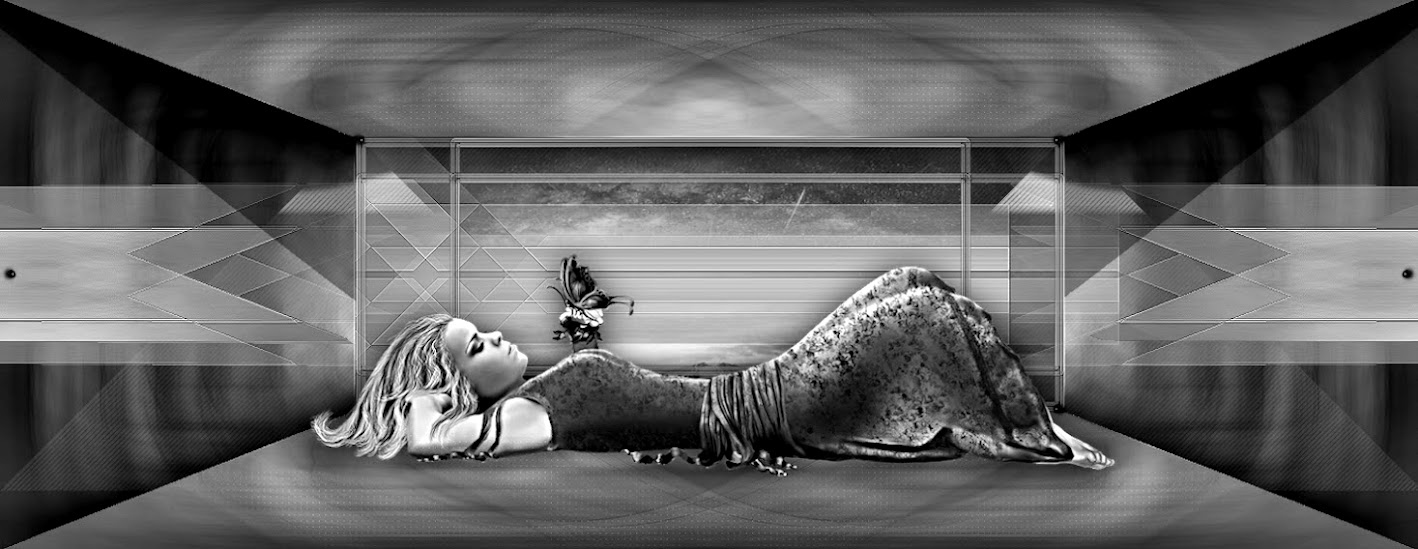
A minha versão: tubes de Elaine, obrigado

Material: AQUI
Plugins:
Filter Factory Gallery P/ Frame 05
Alien Skin Eye Candy 5 Impact, Extrude
Graphic Plus/ Cross Shadow
AAAFrames/Frame Work
Roteiro:
Cores:

colocar as cores:
Foreground, cor 1 #568ca8
Background cor 2 #d8e5ec


1-File, New, image, transparent, 900x550 pixels
2-Preencher com o gradient
3-Layers, duplicate
Image, mirror , mirror horizontal
4-Layers, properties, baixar opacity a 50

5-Layers, merge down
6-Adjust, blur, gaussien a 50

7-Layers, duplicate (duplicar esta layer)
8-Effects, plugins: (Filters Unlimited ou fora do mesmo) Factory Galery P/ Frame5

9-Layers, properties, blend mode, Luminance (legacy)
10-Effects, Image effects, seamless tiling:

11-Ativar a layer raster 1
12-Duplicar esta layer
13-Layers, arrange, bring to top
14-Image, Resize a 90%, (all layers desmarcado)
15-Effects, Geometric effects, spherize

16-Effects, Edge effects, enhance more
17-Colocar a cor 1 em foreground
preparar um gradiente de cores (gradient)
18-: Foreground/background, Sunburst

19-Ativar a selection tool (letra S)
20-Custom selection:

21-Juntar uma nova layer
22-Preencher com este gradient
23-Adjust, add noise:

24-Remover a seleção
25-Effects, Edge effects, enhance
26-Effects, plugins: Alien Skin Eye Candy 5, Impact/ Extrude
Basic assim:

27-Duplicar esta layer
28-Ativar a pick tool (letra K)
29-colocar position: X 131/ Y 97

30-Duplicar esta layer
31-colocar position: X 159/ Y 133

32-Layers, merge down 2X
33-Juntar uma nova layer
34-Ativar a selection tool (S)
35-Custom selection:

36-Preencher com o gradient atual, memorizado
37-Carregar o tube fleur- Cristaltubes492 , copy
(guarde-o aberto no seu PSP para depois)
38-Paste as a new layer
39-Image, Resize a 50%
40-Ativar a move tool (letra M)
41-Colocar a flor dentro da seleção, como no exemplo:

42-Selections/Invert
43-DELETE
44-Selections/Invert
45-Adjust, sharpness, sharpen
46-Juntar uma nova layer
47-Colocar a cor 3 (branco) em foreground, preencher de branco
48-Selections, modify, contract de 2
49-DELETE
50-Remover a seleção
51-Layers, merge down 3X
52-Effects 3 D, drop shadow: 10/10/50/10, preto
53-Effects, plugins: Simple, Top Left Mirror:

54-Ativar a layer copy of raster 1

55-Carregar o mask Creation.tine_masque329
56-Juntar uma nova layer
57-preencher com a cor 2 (clara)
58-Layers, new mask layer, from image:

59- Layers, merge group
60-Effects, Edge effects, enhance
61-sobre o tube Flor - Cristaltubes492, copy
62-Paste as a new layer (não mover)
63-Layers, properties, baixar opacity a 50
Resultado:

64-Effects, User Defined Filter /Emboss 3:

65-Carregar o tube Deco1, copy
66-Paste as a new layer (Não mover)
67-Layers, arrange, bring to top
68-Effects 3 D, drop shadow: 1/1/50/2 , preto
69-Image, Add borders, symmetric:
70- 2 px cor 3 (Branco)
2 px Cor 1
71-Edit/Copy
72-Selections, select all
74-Image, Add borders, symmetric: 35 px cor 3
75-Selections /Invert
76-Edit, paste into selection (imagem memorizada no ponto 70)
77-Adjust, blur, gaussien blur, radius a 20
78-Effects plugins: Graphic plus/ Cross Shadow/Intensity a 90

79-Effects, plugins: AAAFrames/Frame Work:

80-Ajuste as três cores , Red, Green, Blue, de acordo com as suas cores
81-Remover a seleção
82-Carregar o tube personagem (Felinec31@Fille-Mars17-25), copy
83-Paste as a new layer
84-Image, Resize a 66 %
85- Colocar com a pick tool (K), Position: X 323/ Y 19
86-Effects 3 D, drop shadow: 2/2/50/25, preto
87-Carregar o tube Deco2, copy
88-Paste as a new layer, não mover
89-Image, Add borders, symmetric: 10 px cor 3
90-Assinar e juntar o watermark da autora
91-Image, Add borders, symmetric: 1 px cor 1
92-Image, Resize, width a 950 px
Salve
Tradução de:


Aucun commentaire:
Enregistrer un commentaire
Votre commentaire sera visible après modération